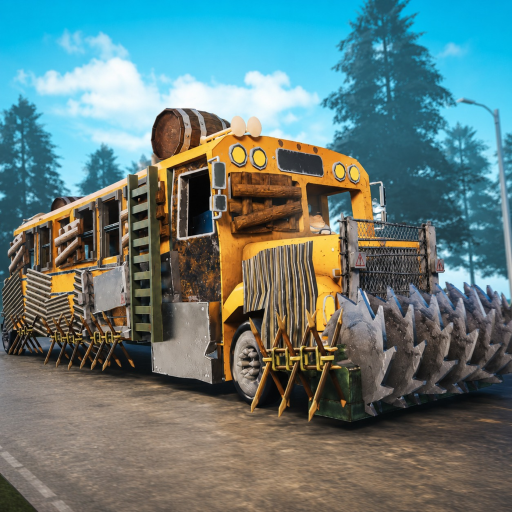
Last Stop Crafting, Sale and Vault Offer Calculator
Plan the items you need, protect supplies and choose what remains available for a cash sale or a current Vault offer. Cash estimates use listed community references. Offer rewards come from values you enter, not a fixed exchange rate.
Material planner updated September 27, 2026 · Earlier code and cash source reviews retain their original dates.
Material planner
Targets are finished items this plan must supply outside your protected inventory. Owned copies can satisfy a target or become ingredients. Protected copies do neither: they stay outside the plan.
Choose a preset or enter your own quantities. Inventory means items actually available to allocate; do not include an installed part you cannot remove or a teammate's item you cannot use.
Read the material result
Use from inventory is an allocation in this plan, not an action performed in the game. Make is the number of listed outputs the plan still requires. Still to find is the raw-material shortfall after shared requirements and inventory have been counted once.
A zero shortfall means the listed materials are covered, not that recipes are unlocked or crafting can be performed immediately. Workbench setup is not added automatically. Add Crafting Table as a target only to calculate its ingredients separately.
Choose at least one finished item to calculate materials.
Sale value after reservations
Select the copies you intend to sell. Protected copies, items allocated to crafting and copies assigned to the offer plan are excluded from the selectable quantity.
This uses community-recorded base cash sell prices per item, not live quotes or in-game transaction tests. Items without a usable price stay visible but do not enter the subtotal. Unallocated does not mean safe to sell: check healing, fuel, team and quest needs before confirming a sale in the game.
Cash is in-game money and is separate from Tickets and Robux. Prices shown below are community estimates. Unpriced items stay excluded; no class bonuses are applied.
Edit Owned and Protected in the material planner above. Reservations update as you change the plan.
No items selected for sale.
Vault offer comparison
Compare one offer you can currently see with the recorded cash value of the copies it would consume. This tool does not fetch offers, predict refreshes, determine stock units, or send a transaction to Roblox.
The published Offers capture shows an item requirement, a Ticket reward and a Stock label. It is undated, not today's price list. Enter your current row rather than copying its old numbers.
Use the same Owned and Protected inventory as the material planner. The calculation also excludes copies allocated to crafting or selected for cash sale. Choose only an item actually named in your current offer.
The optional trade cap is measured in complete trades. Fill it only when you know the offer's remaining allowance in that unit. If the interface does not establish that meaning, leave it blank; the result is then an inventory-only limit, not an availability guarantee.
Read the comparison. Expected Tickets is the reward for the trades you plan. Cash value of items allocated to this offer is the recorded cash alternative for those same copies. They are different currencies, not values to add or subtract into a profit figure.
Recheck the offer after a reset or any price change. No refresh time, fee, class multiplier or future stock is assumed. Gold Hoarder describes 250 Ticket value in your vault, not this tool's reward total. A simulated trade does not mark the badge complete. Read the separate conditions.
Planning estimate — no game action performed.
Worked examples
Plan and inventory
Result
One Basic Wheel; no inventory
Find 2 Wood and 4 Scrap
One Spiked Wheel; no inventory
Make a Basic Wheel first; find 2 Wood, 8 Scrap, 1 Metal Pipe and 1 Spring
One Spiked Wheel; one unprotected Basic Wheel owned
Find 4 Scrap, 1 Metal Pipe and 1 Spring; do not charge Wood for another wheel
One Spiked Wheel; one Basic Wheel owned and protected
Leave the protected wheel untouched; find 2 Wood, 8 Scrap, 1 Metal Pipe and 1 Spring
One Basic Wheel and one Wooden Chest; 3 Wood and 2 Scrap owned
Find 5 more Wood and 4 more Scrap
One Bulletproof Window; no inventory
Make one Wooden Window first; find 2 Wood, 7 Scrap and 1 Duct Tape
One Bulletproof Window; one usable Wooden Window owned
Find 6 Scrap and 1 Duct Tape; no Wood is needed for another window
One Bulletproof Window; one Wooden Window owned and protected
Keep that window; find 2 Wood, 7 Scrap and 1 Duct Tape
One Bulletproof Window plus one Wooden Window; no inventory
Find 4 Wood, 8 Scrap and 1 Duct Tape
Two Wooden Walls, one Wooden Door and one Wooden Window; 10 Wood and 1 Scrap usable
Find 5 more Wood and 2 more Scrap
The recipe reference links the ingredient cards used for these calculations.
Keep-or-sell check
Use the existing six-question check after reserving materials. It is a conservative check based on your answers, not an item-price database. A leftover in the material planner does not automatically pass this sale check.
Six-question decision check
Should you keep it or sell it?
First press Y in-game to inspect the object. Then answer from what you can see in this run. “Not sure” never counts as No.
Rules v1 · checked Sep 5, 2026
Private by design: answers stay in this tab. No Roblox login, item name, inventory image, or account data is requested.
Answer all six questions to enable the result.
Result preview
No verdict yet
The tool waits for all six answers. It will never turn a blank or uncertain answer into permission to sell.
Before every sale
• Inspect the selected object with Y.
• Recheck the current objective and team need.
• Use only the value visible in your current game.
• Confirm you selected the intended copy before selling.
1. Verify: if any protected use is Not sure, stop and inspect.
2. Keep: if any objective, build, survival, or visible-recipe use is confirmed.
3. Sell surplus: only when all protected uses are No and both surplus and current replaceability are Yes.
4. Otherwise verify: the tool never treats missing evidence as permission to sell.
Evidence boundary
What this result does not claim
Last Stop confirms that players can inspect, use, equip, craft, and sell objects. It does not publish a complete current item-value, recipe, or respawn dataset. This helper therefore uses your observations and a disclosed safety rule; it does not label any named item valuable, worthless, common, replaceable, or guaranteed to return.
If a live screen conflicts with this page, trust the current game. See the source register and update status before relying on update-sensitive details.
What the tools do not do
They do not connect to Roblox, read a live inventory, claim rewards, buy items or send actions to a server. The planner does not infer recovery, respawn, shop prices or hidden recipes. Your planner inputs remain in this tab and can be copied as plain text.
Existing keep-or-sell share links keep their original meaning. They do not become material plans and do not mark any badge complete.
Planner questions
Why did a Spiked Wheel require an extra Basic Wheel?
A finished Basic Wheel is one of its ingredients. A copy reserved as Protected cannot also be used for the upgrade.
Why does the window upgrade need an extra window?
The listed recipe uses a finished Wooden Window. The planner makes the missing prerequisite only after accounting for usable inventory. A protected window does not satisfy it.
Does the planner save or resume my Roblox run?
No. These are website calculations. They do not invoke an in-game save, restore your bus or certify what persists when a Roblox session ends.
Does “not assigned to this plan” mean safe to sell?
No. It means the selected crafts did not allocate that copy. Check current healing, bus, team, event and ending needs separately.
Can I add the first workbench automatically?
No. The planner does not establish how the first usable workbench is acquired. Selecting Crafting Table calculates that output's ingredients; it does not solve the first-workbench route.
What happens without JavaScript?
The worked examples and full recipe table remain readable. Interactive search and personalized calculations need JavaScript.